
Byga
BygaSports
4.7104.00 Reviews
- Version
- 2.23.2
- Installs
- 50.00K
- Age Rating
- Everyone
Screenshots
Our Review of Byga
 Analysis by Appyee
I found Byga most useful when I treated it as a mobile doorway into an existing Byga.net account rather than as a complete sports-management product on its own. That distinction matters. If your club, team, academy, or sports organization already uses Byga.net, the app can make everyday access feel much less tied to a computer. If you are looking for a standalone training planner, score tracker, or general sports community, it is probably not the right place to start.
Byga is a free sports app from Byga, available for Everyone and designed for people who already have a connection to the Byga service. It has been available since October 5, 2018, and its current version is 2.23.2 for devices running Android 8.0 or later. Its average rating is 4.7 from around 1.8 thousand ratings, with more than 50 thousand installs. Those figures suggest a focused audience rather than a mass-market sports app, and that matches my experience: its value depends heavily on whether your organization has built its routine around Byga.
What the first week feels like
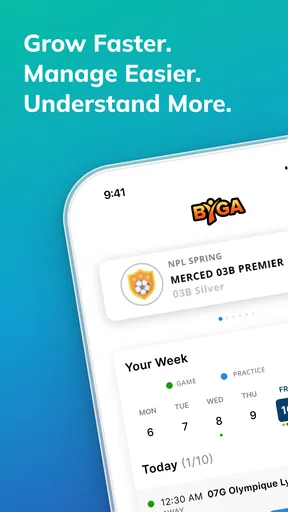
The first-week appeal is straightforward. I can check the information connected to my Byga.net account from a phone instead of waiting until I am near a desktop browser. That is especially handy for parents, players, coaches, and administrators who need to keep an eye on changing sports commitments during a busy day.
The app makes the most sense when I already know why I am opening it. I might be leaving work, heading to practice, or trying to confirm what is happening next, and the phone is the device I already have with me. In that situation, mobile access removes a small but recurring obstacle. I do not have to remember to sit down at a computer just to check the account connected to my club or team.
That convenience is also the first important limitation. Byga is not something I would install casually to explore sports content. The app’s short description is simply “Byga,” while its practical purpose is access to a Byga.net account. Without an organization using that service, there is little reason to expect a meaningful personal experience. It is best understood as an access tool for an existing relationship, not as a discovery app.
During the first week, I would recommend setting up a simple checking habit rather than opening it constantly. For example, a parent could look once in the morning and once before leaving for an activity. A player could check before packing equipment or arranging a ride. This approach keeps the app useful without turning it into another notification-heavy part of the day.
One non-obvious strength is that mobile access changes the timing of decisions. A desktop account often gets checked when someone has time; a phone account gets checked when a decision is actually needed. That difference is small, but it can make the service more practical for last-minute planning. The benefit is not that the app transforms sports administration. The benefit is that relevant account information is closer to the moment when it matters.
Who gets value immediately
I see the clearest first-week value for families managing youth sports. One person may be responsible for transportation, another for equipment, and the player may have a separate schedule or set of responsibilities. Having account access on a phone can reduce the need to pass information through several people.
Coaches and team staff may also appreciate the convenience when they are away from a desk. The app is more attractive for people who already use Byga.net regularly than for someone who only needs a sports calendar once in a while. If your organization communicates through several unrelated tools, the app may not become your main source of truth, and that can weaken its usefulness.
I would also be cautious about expecting the mobile experience to replace every part of the web account. The confirmed purpose is mobile access to Byga.net, so I would approach it as a companion rather than assume that every administrative task is equally comfortable on a smaller screen. Reading or checking information on a phone is one thing; entering detailed information or handling complicated organization work can be another.
Why the value can hold from month to month
The lasting value comes from repetition. Sports schedules, team communication, and account information are not one-time needs. They return every week, often at inconvenient moments. An app that simply makes an existing service easier to reach can earn permanent space on a phone if it removes enough small interruptions.
In my view, Byga’s strongest recurring use is the quick check. I can open it while preparing for the day, before leaving home, or while coordinating a ride. That is more useful than a dramatic feature used once. The app does not need to entertain me to justify its place; it needs to be dependable when I need the information associated with my Byga.net account.
A realistic monthly routine might look like this: at the beginning of a busy week, I check the account to understand what is coming; before each activity, I use the app as a final confirmation; afterward, I return only if I need to review something connected to the organization. This is a modest workflow, but it is exactly the kind that can turn a utility into a habit.
There is also a useful division of labor between phone and computer. I would use the app for quick awareness and use the web account when a larger screen makes detailed work easier. That trade-off keeps the mobile experience from being judged unfairly. A companion app does not have to duplicate every desktop interaction to be worthwhile, but it does need to make the common checks easy enough that I do not avoid them.
Its recurring value is convenience at the point of need, not a broad collection of sports features. That is the key to deciding whether it will last. If your sports organization relies on Byga.net every week, the app can become part of your normal routine. If you only visit the account occasionally, the benefit may be too slight to justify a permanent spot on your home screen.
A useful workflow for families and teams
I would separate checking from managing. Use the phone for the information you need while moving through the day, then reserve more involved account work for a time when you can concentrate. This reduces rushed edits and makes the app feel lighter. It also avoids the common mistake of expecting a mobile companion to be the best tool for every task.
For a family, one practical habit is to check the account before discussing transport or equipment. That puts the source information first and reduces the chance of relying on an old message or memory. For a coach, checking before leaving for an activity can help keep the phone-based routine tied to a real decision rather than idle browsing.
Another useful insight is that the app’s value may increase when several people share responsibility. A single user with a simple schedule may barely notice the convenience. A household coordinating multiple commitments is more likely to feel the benefit because every avoided computer session saves a little time. That is a genuine trade-off: the app’s usefulness grows with the amount of Byga-related information a person needs to follow.
Maintenance: what it asks from me
The maintenance burden appears low in the ordinary sense. Byga is free, and the app is focused on access to an existing account rather than asking me to build a separate sports profile or maintain a new content feed. That narrow purpose can be a strength because there are fewer reasons to keep revisiting settings or customizing the experience.
Still, low maintenance does not mean no maintenance. The app is only helpful when the underlying Byga.net account and the organization using it remain relevant. If a club changes its communication habits, if a family no longer participates, or if information is spread across several services, the app may gradually become less important even though it still works as an account gateway.
I would also keep the app updated rather than treating installation as a one-time task. The current version is 2.23.2, and staying current is a sensible way to avoid unnecessary compatibility friction on a supported device. Since the minimum operating system is Android 8.0, people using older phones should check compatibility before planning around it.
The best maintenance strategy is behavioral: keep one reliable place for checking sports information and decide when the app fits into that routine. If I open Byga only after confusion has already started, it feels less useful. If I check it at predictable moments, it becomes a quiet part of planning. That is the difference between installing an app and actually keeping it.
There is a subtle burden for organizations, too. The app cannot create value independently of the account ecosystem behind it. Clubs and teams need to keep using Byga.net consistently for families and staff to see a reason to return. A member may blame the mobile app for an unclear or outdated experience when the real issue is inconsistent information elsewhere. That dependency is important for anyone evaluating it on behalf of a group.
Where fatigue can appear
The main source of fatigue is repetition without enough new value. If I already receive the same information through email, messages, a calendar, and another team platform, opening one more app can feel like administrative work. Byga is most convincing when it reduces fragmentation, not when it adds another place to check.
There is also a risk of using the phone interface for tasks that are better handled on a larger screen. Reading a quick update is naturally suited to mobile. Managing complicated account details while distracted, traveling, or working with limited time may be less comfortable. I would not choose the app as my only tool if my role involves frequent, detailed administration.
Another possible frustration is that the app’s usefulness may vary between organizations. Two people can install the same product and have very different experiences because their Byga.net accounts serve different purposes. That is not a reason to dismiss the app, but it does mean that a positive experience depends on the quality and consistency of the account environment around it.
For the same reason, I would skip Byga if I am searching for live sports scores, workout coaching, fitness tracking, or a general community. Those are different needs. A dedicated score app, training app, calendar, or messaging service may be a better fit depending on the task. Byga’s advantage is not breadth; it is direct access to the service a participating organization has chosen.
I would also avoid installing it merely because it is free. Free removes the financial barrier, but it does not remove the attention cost of another app. The right question is whether I regularly need the Byga.net account while away from a computer. If the answer is no, the app may not earn lasting space even if the download itself costs nothing.
How it compares with the usual alternatives
Compared with using Byga.net only in a mobile browser, a dedicated app feels more intentional. I am going directly to the mobile access point instead of opening a browser, finding a bookmark, and navigating from there. That can make repeated checks less cumbersome. The trade-off is that a browser may be more flexible when I need to move between several services or handle a task that feels better on a larger interface.
Compared with email, Byga can be more useful as a place to check the account itself rather than search through an inbox. Email is good for alerts and conversation, but it can become difficult to tell which message is current. A service-linked app offers a more focused starting point when I want to check the organization’s account instead of reconstructing information from old messages.
Compared with a general calendar, Byga is more closely tied to the sports organization’s account. A calendar is excellent for seeing a broad day or week, but it may not provide the same context as the source service. On the other hand, a calendar can remain useful even when I am not actively involved with the organization. I would use both only if each has a distinct role; duplicating every entry can create more confusion than clarity.
Compared with team messaging platforms, Byga is less about conversation and more about access. A chat tool may be better for asking a quick question or coordinating informally. Byga is the better reference point when I need to return to the account connected to the organization. Choosing between them depends on whether my immediate need is discussion or confirmation.
That comparison explains why the app can feel excellent to one user and unnecessary to another. It is not trying to win every sports-related job. It is valuable when the Byga account is already central, and replaceable when a browser, calendar, inbox, or team platform already handles the same need with less friction.
My long-term verdict
After the novelty of installing another sports app fades, Byga has a reasonable chance of staying useful for the people it was built around. Its lasting appeal is quiet and practical: mobile access to an existing Byga.net account when a computer is inconvenient. I would recommend it to players, parents, coaches, and staff whose organization actively uses Byga and who regularly need to check that account during the day.
I would not recommend it as a general sports app, a fitness companion, or a replacement for every communication and scheduling tool. Its focused design is both its strength and its boundary. The narrower the need, the more clearly the app either fits or fails to fit.
The rating of 4.7 and the audience of more than 50 thousand installs suggest that many users find the focused approach worthwhile, but I would still judge it by my own routine rather than by popularity. The important test is simple: after several weeks, am I opening it because it saves a step, or because I feel obligated to check one more service? If it saves a step, it has earned its place.
My final recommendation is to install it when your club or team already depends on Byga.net, then give it a defined role: quick account checks on the move, with more involved work handled where it is most comfortable. That habit keeps maintenance low and prevents the app from becoming another source of digital fatigue. For that specific audience, Byga is a useful everyday companion rather than a flashy app—and that is exactly why it can remain valuable after the first week.
Verdict
Strengths of Byga
- Simple interface makes core features easy to find.
- Useful for organizing tasks and activities in one place.
- Notifications can help users stay updated on important changes.
- Works well for users who prefer a focused, practical app.
- Suitable for both occasional and regular use.
Limitations of Byga
- Some features may require account registration before use.
- The app can feel limited for users needing advanced customization.
- Performance may vary depending on device and connection quality.
- Notification settings may need manual adjustment to avoid interruptions.
- The user base or available content may be limited in some regions.
Similar Picks in This Category
View All
BeSoccer: Soccer Live Score
BeSoccer apps4.3

Cricbuzz - Live Cricket Scores
Cricbuzz.com3.7

NFL
NFL Enterprises LLC2.4

Da Fit
MO YOUNG LIMITED3.6

ESPN
Disney4.5

LiveScore: Live Sports Scores
LiveScore Limited4.5
Frequently Asked Questions
What is Byga and who is it designed for?
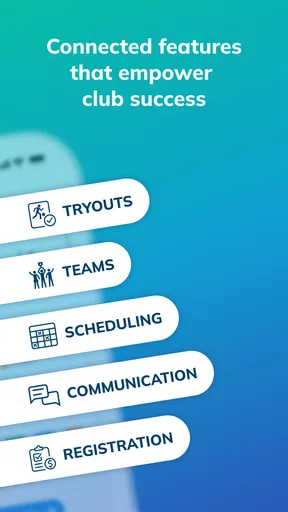
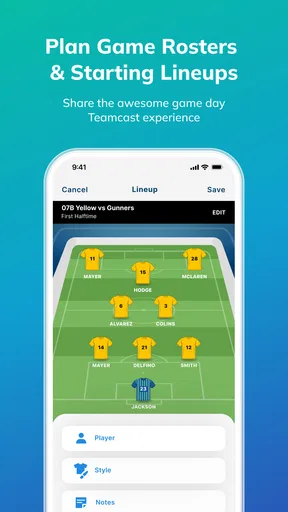
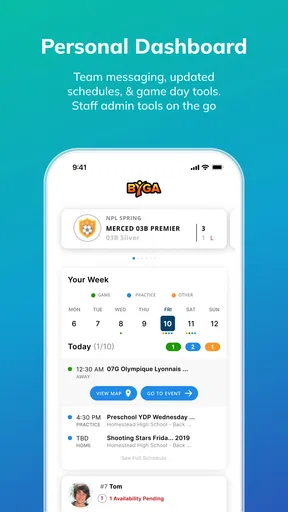
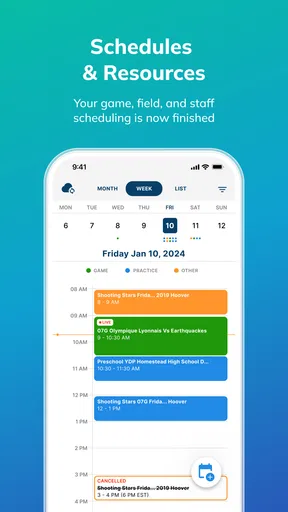
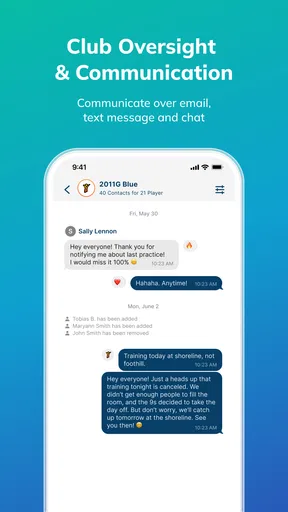
Byga is a team and club management platform designed primarily for sports organizations, coaches, administrators, players, and parents. It brings schedules, rosters, communication, registrations, payments, documents, and team information into one place. The exact features available can depend on how the organization has configured its Byga account, so users may see different tools after joining a club or team.
Can I use Byga without joining a sports organization?
Byga is generally most useful when your club, league, school, or sports organization already uses the platform. You may be able to download the app and create an account, but many functions require an invitation or membership connected to an organization. Before installing it, confirm that your team uses Byga and that you have the correct email address or invitation details needed to access your account.
What can parents, players, and coaches do in the Byga app?
The available tools vary by role, but Byga can help users view schedules, receive team announcements, check rosters, manage availability, access event details, and communicate with other members. Parents may also be able to handle registrations, forms, or payments, while coaches and administrators can manage teams and activities. Some options may only appear after the organization assigns the appropriate permissions.
Does Byga support payments, registrations, and team administration?
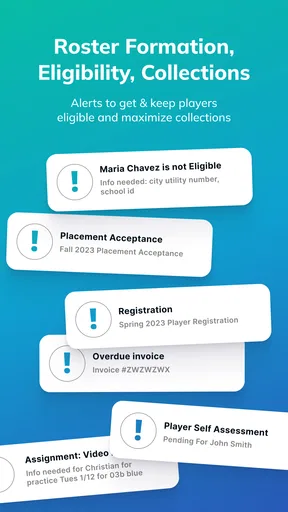
Byga may include administrative features for registrations, fees, forms, documents, and other club-management tasks, depending on the organization’s subscription and setup. These tools can make it easier for families to complete required paperwork and for administrators to track participation. However, payment methods, deadlines, refund policies, and available registration options are controlled by the individual organization rather than being identical for every Byga user.
Is Byga free to download, and what should I check before installing it?
The app may be available to download without an upfront charge, but access to certain services can depend on your sports organization’s plan, membership fees, or event-related costs. Before installing, check that you are downloading the official Byga app, review its required permissions, and confirm that your club has provided login instructions. Also remember that features and performance can vary by device, operating system, and account role.
